Skip to content

laravel blade > php?

Filed an Issue

This is mostly reproduced from a Github issue I created for the new Forage WordPress theme I created. I’m thinking out loud whether or not to support a new branch with plain ‘ole PHP instead of the Blade syntax.


Laravel Blade has some notable features that help PHP developers move faster. Here are a few reasons to keep using it:

(quickly generated by ChatGPT, with edits and additions by me)

  • Layout Components: Blade offers the @component directive for defining reusable components, such as navigation menus, alerts, or forms. This promotes encapsulation and reusability for components containing HTML, CSS, and JS.
  • Escaping by Default: Blade automatically escapes output by default, helping to prevent XSS (Cross-Site Scripting) attacks. This enhances the security of your application by reducing the risk of injecting malicious code into your HTML. While PHP provides functions for escaping output, Blade handles this automatically, reducing the likelihood of accidental omissions.
  • Template Inheritance: allows you to define a base layout with placeholders that child views can fill in with their own content. This enables a more structured and modular approach to building views, reducing duplication and promoting code reusability.In other words, PHP would require explicit includes everywhere for PHP files to work with each other. Blade uses hooks like @yield as placeholders to work with various functions like @section.@yield('content") in the base file would render @section('content") in the child view file, such as page.blade.php`.
  • Control Directives: Blade provides convenient directives for common control structures, making it easier to express conditional logic and iterate over data.Example@if () as plain PHP would need PHP tags, looking like <?php if () ?>. Essentially, it’s more verbose to use plain PHP.
  • Concise Syntax: Blade offers a concise and readable syntax for common tasks such as echoing variables ({{ $variable }}), control structures (@if, @else, @endif, etc.), loops (@foreach, @for, @while), and more. This makes Blade templates easier to write, understand, and maintain compared to raw PHP embedded within HTML.
  • Template Comments: using {{-- This is a Blade comment --}}, which is not rendered in the final output.
  • Include Statements: In addition to @include, which mostly mirrors plain PHP, Blade also provides the @includeWhen and @includeFirst directives for conditional inclusion of templates.

I attempted to order the above in the order of importance, with the top few being quite more efficient than plain PHP.

My overall observation is that Blade should truly be considered if you can think of good use cases for adding components rendered by PHP. At some point, it might be less useful as Web Components find their way into the WordPress ecosystem.

Additionally, the auto-escape and inheritance for Blade is pretty great for efficiency. The benefits of these features are quite convenient.

The rest are just nice little sprinkles to clean up PHP. Nice, but not necessary.

If I review everything I’ve used with Blade, I really don’t think I have any real needs yet for PHP driven components. All the rest of the bullet points could easily have been regular PHP in my own personal work flow, but I’m really only using themes on smaller sites that don’t have a lot of complexity.

If Blade is removed from any project, you likely have the option to completely remove a dependency on Composer as well as some application methods to render the Blade syntax into PHP. I can also see this argument for those who prefer to stay as close to the original languages as possible.

At some point in the near future, decisions to support Laravel Blade might come down to whether or not you want a build step to compile a language. There’s a potential future approaching where the browser contains so much power that build steps can once again become optional. That’s a very interesting future!

forage, my last wordpress theme

forage

Introducing Forage, my new hybrid starter theme joining Roots Sage and FootMATE Vilare. This is a project of love, giving me an opportunity to learn new technologies and simplify the WordPress theme I was using. While this might not technically be the last theme I apply to my personal site, WordPress is moving into a new direction of lots of Javascript to drive a WordPress block theme.

Why Forage?

I think the mushroom kingdom that we live among is quite interesting, and the act of foraging mushrooms feels like what I do when I’m writing code: I’m always looking for something to consume and use.

Features

Forage is a starter theme. This means that when you install it, no styling or interactive behavior is added to the front-end. This gives you complete flexibility to create the theme you want with minimal opinionated code.

  • Laravel Blade as a templating engine
  • Vite for compiling assets, concatenating, and minifying files
  • Biome for linting and formatting both CSS and JS
  • Modern CSS & JavaScript – No preprocessors, libraries, or frameworks
  • DocHooks provide new functionality of class method DocBlock as hooks into WordPress API
  • IndieWeb out of the box

Laravel Blade

Sage was my real introduction to Laravel, back in the days when PHP just landed in the version 7 era, so I was mostly used to older PHP from version 5.2 through 5.4. While I tend towards wanting pure forms of HTML, CSS, and JS, I found Laravel Blade to be an interesting abstraction of PHP. In the last few years, PHP has come of age in so many great ways. PHP 7 and PHP 8, and all point releases, added superpowers for functional programming and types, among many other features. Modern PHP and TypeScript, less so even modern Javascript, have a lot in common today. In many ways, it’s impressive where PHP is today.

Laravel Blade is a modern approach to templating PHP. In a similar way that TypeScript is also Javascript, all blade files are PHP files as well which makes it convenient to get started. The main benefits of using a blade file is the cleaner looking syntax and custom components. Not  Here’s a great overview of all the strengths of Blade.

Vite

I first used Vite via Astro, and as a build tool, it felt so easy and simple. I’ve used many other build tools over the years, from grunt and gulp to webpack. I tried others here and there, but nothing stuck. Vite, however, makes a lot of sense for WordPress classic theme development.

The instance of Vite used for this theme is so lightly integrated that you wonder how it’s really doing all that magic so easily. The biggest difference? I don’t need to have two environments to see live reloads anymore. If I’m using https://example.local/ to work on WordPress locally on my computer, Vite will use the same environment for live reloading. No need to switch to a different URL like https://localhost:3000! Truly, I’ve been annoyed by this for more than a decade about Webpack! No more!

Biome

This project feels like a game changer for linting. We’ve seen several come and go, with the most popular ones being ESLint, Prettify, and Stylelint in 2024. However, Biome is positioning itself to be one tool to lint it all.

The background is interesting and having won a contest set up by the Prettier folks, Biome has a strong position going forward. I expect some breaking features as it continues to mature, but it’s also stable enough for a large majority of linting rules that I already don’t miss ESLint. As of June 2024, the CSS linting is in its first public beta release, so it’ll be some time before that’s mature enough to replace Stylelint, but I fully intend to migrate over when it’s stable.

Vite and Biome Node Packages

The most exciting thing about both Vite and Biome is reduced complexity. Just by replacing Webpack and ESLint with Vite and Biome, respectively, /node_modules/ was reduced by more than 50%. In fact, I think even more packages were removed from the project overall. This is a big win.

Once CSS linting is stable, this is what devDependencies looks like in package.json:

  "devDependencies": {
    "@biomejs/biome": "^1.8.0",
    "glob": "^10.4.1",
    "vite": "^5.2.12"
  }

That’s refreshing!

Modern CSS & JavaScript

I have purposely included no libraries, frameworks, or packages to abstract CSS or Javascript. This might be considered silly or naive, but if you review both CSS and JS in 2024, the languages are powerful enough that the need for additional state management or other helpers and shortcuts is far less than before. I expect sometime in 2025 that so much will be supported across all browsers that we’re going to see some significant paradigm shifts in the need to use large frameworks or libraries.

In fact, for my own site, I’ve removed Sass completely. Because nesting is widely supported in modern browsers, all I did was convert Sass variables to native CSS Custom Properties and everything just worked. Having reviewed the site in non-supporting browsers that don’t have modern CSS syntax features, progressive enhancement is the winner because all content and functionality is still available even if it doesn’t look as pretty.

Regardless, it’s quite easy to just yarn add svelte or any other library if you need it.

DocHooks

From the FootMATE creator, DocHooks are an interesting syntactic sugar for functions and methods to the WordPress APIs using DocBlocks.

    /**
     * Loads default theme supports
     * @action after_setup_theme
     */
    public function addThemeSupport()
    {
        /* add logic here */
    }

The part that says @action after_setup_theme is the same as writing add_action( 'after_setup_theme', 'addThemeSupport, 10, 3 );. It’s a big cleaner and easier to parse the functions this way.

Currently, DocHooks only support adding to the API. If you need to remove, you still have to write remove_action('after_setup_theme', 'addThemeSupport');

IndieWeb

I’ve added as much Microformats2 syntax to the markup as I could so that you add a few plugins and it’ll be indieweb compatible almost immediately after setting up the pieces. We should own as much of our own content as we can.

Background

The Roots Sage project provided an excellent philosophy and approaches for a progressively developed WordPress theme, but after version 9, Sage had too many interconnected pieces, new dependencies, and legacy to keep up with. Additionally, having focused on so many other  returning to an old version of Sage left much to be desired, as well as plenty of broken services or packages.

I found FootMATE in spring of 2024 looking for an alternative. Strangely, it follows enough of a paradigm similar to Sage that it feels like a younger cousin. Also, the author decided to integrate Vite instead of Webpack, and that’s a huge win for productivity and DX.

The combination of the two themes satisfies my desire for good file architecture and modern tooling without much bloat or dependencies. It just works.

WordPress’ direction towards full-site editing and Gutenberg leaves much to be desired for developers working on WordPress. This theme, while starting from a basis of the classic theme structure, has a lot of flexibility between the two worlds of classic and modern WordPress theme development.

The Future

I’m going to continue development on this theme indefinitely, as both FootMATE and Sage deliver new updates that make sense for this theme. Additionally, I already have a number of Github issues that I hope to resolve or bring into the theme.

Ultimately, I’ll probably slow down on development for this theme soon and maintain things as time goes on. Who knows, I might support this for several years to come. I don’t have all the experience or expertise for some of the integrations I am questioning or interested in, so community help will be desired where possible. That said, I’ll keep an open mind about how to continue on with this starter theme.

I’m eager to hear any feedback or comments on the direction this theme is going and how to make it better. It solves my personal needs here on asuh.com but it’ll be interesting to see what appeal it has outside of what I needed.

Thanks for your support and eyeballs on this post!

Vite with WordPress theme

I’ve been on a digital journey this week to prepare for updating my personal site. I haven’t truly updated my site’s theme in so many years that it’s broken to use as is.

So, I decided to search for a similar type of theme, which is Roots Sage theme. When I chose it, it was a fascinating alternative to the type of WordPress themes of the late 2010s. The file organization and progressive nature of tooling and packages was quite attractive to developer me. This came as the expense of letting it sit there and technology changing, with multiple upgrades on my personal machines to disrupt the ability to use the same tooling and tech stack.

That leads me to this week’s priority. Knowing how convoluted Webpack is, it’s a complicated bundler. There are so many additional packages that’ll enhance the experience but add additional overhead for upkeep.

Sage also moved on to a new major version and that team refactored the theme enough that it has at least one or two external dependencies from new repositories. I tried to work with this new architecture a couple of years ago or so and it was just too much.

Knowing I didn’t want to continue with a theme using Webpack, I searched for non-Gutenberg centric themes that includes a newer bundler called Vite. Why Vite and not others like Parcel? Honestly, because Vite seems to have better momentum. And I was able to find plenty of themes using it, most of which are not useful to me.

One stands out and I believe it’s going to work. I can’t remember exactly how I found this theme, and it’s buried in a develop branch, but so far this Footmate Pro theme is working pretty well. There are enough similarities between the Sage theme and this theme that I’m intending a 1:1 transition where possible.

I had a couple of days of issues trying to copy some of the old template file code into this new theme, primarily because using a newer version of Laravel meant new functions are sometimes needed for templates. I temporarily stopped and tried working with a different Vite based WordPress theme, but it was just too outdated to work. I returned to this theme, reviewed Sage’s newest version to review newer Laravel code updates, and applied a newer function that finally fixed the issue. So I believe things shouldn’t be as difficult.

One of the amazing things this theme offers with Vite is the ability to do live page reloading using the same local URL, rather than an additional localhost address. This means that saving an HTML, CSS, or JS file with updated code will immediately update your site at https://example.local rather than needing to use http://localhost:3000. This is a long standing pain point we’ve had using reloading tools!

If this truly works out, I’m going to attempt to keep abstracts to a minimum, and continue to include tools for an indieweb presence. PHP and Laravel will provide server side work, but most client-side code will be plain ‘ole HTML, CSS, and JS.

Beyond this, we’ll see where WordPress fits into everything. I’m evaluating other tooling like Astro and 11ty. I’m ready for a future proof technology that won’t pose huge issues if I have to pause for another amount of time.

fluid design utopia

Bookmarked

As a design focused developer, there is so much value both designers and developers can get out of this video from @trys.

The reality is that I have yet to be on a team which can retroactively apply a nice fluid responsive design.

It seems like so many visual designers are focused on easy-scaling numbers like the 8 point grid system.

Trys Mudford – Fluid responsive design – the Utopian futureTrys Mudford – Fluid responsive design – the Utopian future

managing retrospective

I was just updating my tech i know and tech i use pages. It strikes me how far I have come since I started those pages and a lot of the i don’t know… section now belongs in the i’m learning section.

Also, my interests in web development and web design have matured. Today, I want my focuses to be on the design side of development, still very much the front-end, creating design systems, pattern libraries, and component libraries as well as supporting user interfaces for the web. This is a huge rabbit hole of technology that bleeds into everything from performance, accessibility, web components, libraries, frameworks, and so much more.

With all of this in my focus, where do I stand today?

best of both worlds

I’ve worn a lot of hats in the last decade of my career, most recently the hat of an engineering manager. There’s a point where you go from being a senior developer, who’s been in the throw of code and development for much of his or her career, and decide on how to move forward either with more contributor roles or with management roles. In fact, engineering management is a parallel track to engineering or development, it’s helpful to lead by example, when there’s time and availability.

As a manager, my strengths are in the collaboration and partnerships that are needed and required to move forward. I bring a lot of passion into the positions I take on various projects or ideas. In fact, I can be so eager to move an idea forward and the controlled chaos that ensues. As a product strategist, there’s so much potential to look for optimizations and efficiencies to get things done. In my last year of management work alone, I’ve come a long way to move the needle in the right direction, looking for compromise and yet pushing for effective outcomes.

I find it satisfying to put in any time I can on both coding and managing where it makes sense, where my abilities best serve the team. As a manager, I make a conscious effort to not to move the needle for a project. It’s my number one job to enable and support the lead developer/engineer to make these moves.

we are all designers

One of the main takeaways from the various projects I was involved with the last few years of my career is that the software development life cycle (SDLC) that we all know is pretty out of date. In so many companies, There’s still this mentality of waterfall models, hand offs, where all the concerns and ownerships are still so isolated from each other.

What I never really understood, but I feel is crystal clear today, is we’re all involved in the design phase of the SDLC. Our primary concern, regardless of content, components, code, copy, creations (how many Cs can you think of? :) is the design of everything. In the spirit of my interests at the beginning of this writing, we should all be talking to each other from the very beginning. Content people are writing primarily for what they know, but if they could talk about the user journeys from a design and development perspective, in addition to content management or SEO, it might unlock new potentials for what the most effective content is.

As a designer, we should also have the ownership to create in the medium we publish. This means relieving ourselves from leaning on a lot of abstract tools. What if we were all able to start and finish a project inside of the same, exact tool? Just as our desktops should get out of our ways to create, so should our tools get out of our ways to produce.

Each stakeholder, each expert in their domain, should have the autonomy to do their job. We all need a sense of ownership and agency in the work we produce. At this point, however, we shouldn’t be isolated or siloed in how we move together. You work with a team, move as a team, and succeed as a team.

the ideal

If there was anything that could feel the most relevant to my career, it would be to improve the SDLC to focus everything around the design experience, to congregate teams to use the same product from end-to-end of the cycle, and to heavily focus on systems. Web teams should put as much energy and focus into design systems as possible, encircling this idea with all the libraries and guides needed to move a product cycle forward.

The most efficient path is the one where all the stakeholders are included in the same suite of software and products to deliver results efficiently and effectively. We shouldn’t be waiting on each group to completely finish their work; how many times have I waited first on content managers, THEN on designers, THEN on project managers, etc, etc., before being able to move on code. So much wasted time and lots of problems delivered to the developers! Hand offs were kind of effective in the years past, but today’s agile environment needs more collaboration and teamwork.

typescript, graphql and wordpress

I took a few days to reacquaint myself with GraphQL the last few days. It’s hugely popular with developers as a way to efficiently work with data, providing an efficient way to get a specific set of data to use in a code base. It’s compelling once you understand how to use it.

So I went ahead and installed WPGraphQL, on a WordPress instance I have, to put my feet on the pedals and begin riding. For a few months, I was contemplating creating a custom-built look to a website, and I also wanted to try out using Astro. This was a good opportunity.

It’s trivial to set Astro up, running:

npm create astro@latest

It asks if I want to use TypeScript, so sure, why not. I’m familiar with it, this’ll give me more experience to use it, all it’ll do is take up more time if it’s not easy to put together.

Okay, so then I begin setting up a very simple couple of template files in Astro.

+ src
  + data
    </> wordpress.ts # This is where I fetch the data
  + layouts
    </> default.ts # This is the baseline application wrapper
  + pages
    + blog
      </> [slug].astro # Blog post
    </> index.astro # Blog roll 

Getting to this point wasn’t too difficult, just following the steps and updating to my project. The head scratcher comes from the actual TypeScript that’s required.

Here’s the blog roll code.

---
import	Layout from '../layouts/default.astro';
import { wpquery } from '../data/wordpress';

const data = await wpquery({
	query: `
		query LoadAllPostsExcerpt {
			posts {
				nodes {
					title
					slug
					excerpt
				}
			}
		}
	`,
});
---

<layout title="Test">
	<h1>Posts</h1>

	{
		data.posts.nodes.map((post: any) => {
			return (
				<article class="post-preview">
					<h2>
						<a href={`/blog/${post.slug}`}>{post.title}</a>
					</h2>
					<fragment set:html={post.excerpt}></fragment>
					<a href={`/blog/${post.slug}`}>read post →</a>
				</article>
			)
		}
	)}
</layout>

Here’s the focus of this code: data.posts.nodes.map((post: any) => {...}.

There’s nothing simple in WordPress about declaring a type on various data, like post: any. In my code, I’ve resorted to the data type any so many times it becomes pointless to continue using TypeScript.

So I have looked all over for a solution. It exists, of course, but from what I can see, it’d look something like post: Post after having to add another abstraction to define what is Post. Tedious and silly, if you ask me.

Already using TypeScript is an abstraction, one I’m finding to not be so useful.

With the above said, let me end this with a general headless WordPress confusion. The future of WordPress, clearly, is Gutenberg. However, according to the author of WPGraphQL,

“[…] much of WordPress was built with decoupling in mind, the WP REST API and Gutenberg were not.”

In fact, it’s worse than this for anyone using modern WordPress using Gutenberg.

“Gutenberg didn’t have a server-side registry for blocks. At this time, all blocks in Gutenberg were fully registered in JavaScript, which is not executed or understood by the WordPress server.

This means that unlike Post Types, Taxonomies, Meta, Sidebars, Settings, and other constructs that make up WordPress, Gutenberg blocks don’t adhere to any type of contract with the WordPress server.

This means that the WordPress server knows nothing about blocks. There are no agreements between Gutenberg blocks and other systems in WordPress, or systems trying to interact with WordPress via APIs.

Blocks were practically non-existent as far as the application layer of WordPress was concerned.”

So this means, if I have decided that Block Themes and Full-Site Editing is the future and I want to support it, and I also want to go headless, I’m in for a world of pain.

Are developers truly going to continue supporting or going with WordPress unless/until they fully get on board with Block Themes? I don’t think I can see myself continue with WordPress as it’s moving forward. With its forced use of React for Gutenberg, to the weird ways you have to set data, attributes, styles, or other options, this looks like a complete lock-in to a specific way of building websites. Maybe this is great for some, but I am having major doubts I’ll stick this out for much longer.

scss is just css now

Okay geeks, it’s almost January 2024 and, finally, Scss is now CSS.

Okay, not all of it, but primarily the biggest feature everyone uses.

Nesting.

That’s what we’re all using Scss for, right?

Right? Don’t lie…

Okay, let’s say we ditch Scss, as you should. Seriously, you should.

Do we… keep splitting CSS into lots of files like we did Sass?

Think about it, we take out the abstractions of Sass rules, we ditch the Sass build scripts, right?

Are we delivering lots of files now?

social fracture

Today, I was able to try out Bluesky, the Twitter ripoff. It’s very faithful if you’re used to Twitter.

I’ve been using Mastodon, lightly, for most of the year. It’s where the most relevant chatter was since Twitter’s fracture.

By a miracle, and help from OldTweetdeck, I’m still running the previous version of Tweetdeck for now. It’s on life-support and could die at any time.

Besides the light use of Facebook and Instagram, and having signed up for Pixelfed but not really using it, it’s a weird time for social media in 2023.

To recap:

  • Twitter is dying. Its owners want it to be called ? but nah, not gonna do that
    • Tweetdeck still serves its purpose for me, a general idea of what Twitter people are saying, but it’s far more conservative hyperbole now. However, still my #1 social attention spend
  • Facebook serves people older than 30 crowd just fine, I guess, but I am allergic to its slurping up of all data to do who knows what. No thanks
  • Instagram is barely useful, mostly for the Stories feature, but just not much to enjoy beyond that
  • I wanted Pixelfed to replace Instagram, giving me control back, but I just haven’t committed
  • Mastodon is the 2nd primary attention and most of my posts, which still isn’t a lot
  • Nostr, well, is really so niche right now, you probably haven’t heard of it. But, for the few notable people I see there, and can’t really see elsewhere, it’s slightly interesting
  • Bluesky is not really gonna be much for me until I get a Tweetdeck like instant feed refresh tool. I don’t like manually refreshing Bluesky to see new posts, never did about Twitter, eithe

I won’t bother with any other social networks. It’s already too much for me.

Ideally, when magical time and effort appear in my life, I’ll set this site up to just blast out to half the list up there, Indieweb style, and start writing here on this site. Or not. It’s a lot of work, and the UI for WordPress and Gutenberg is not ideal, whether with Classic Editor or Gutenberg.

Also, I still have trust issues with the web in general. OpenAI, ChatGPT, all these new 2023 AI services, this site and my content on all the sites above and more have fed into their dataset. It’s annoying.

How do I find a balance here?

just thrown away like that

I had to look it up just now because I don’t remember when I started using it.

It was around May of 2009. I don’t even think it was possible to use you browser to access it, either. It was before iOS had an app.

Twitter didn’t even own it yet!

This was two years after I started using Twitter in March of 2007; Twitter permitted for us to sign up at SXSW that year so I was an early user even though I didn’t really understand its utility and it was still finding its place.

Tweetdeck is how I primarily interacted with Twitter all this time. It’s consistent. It provided near real-time updates without me refreshing. It’s my go to, to see how the public is reacting.

Then, this past Sunday, it was yanked away from me and replaced by the new version. A version that’s going to be locked down behind a paywall after the end of July. And this new version just doesn’t compare or stand a chance.

Sure, I have other ways to figure all of this out. But Tweetdeck was there for me through a long span of my adulthood.

I could see all kinds of people confirming that I just felt an earthquake. I got to know smaller personalities who weren’t well-known. I also could see what celebrities were thinking. So many pointless brands hawking to get my attention.

It was always there. I learned a lot. I was always entertained.

If it’s locked up and thrown away from me, so be it. I won’t miss what it is now.

EDIT July 9 – They are allowing the old version to be used again, but I cam only assume it’ll still be hidden behind a paywall after the end of the month.

relearn using dishwashers

Bookmarked
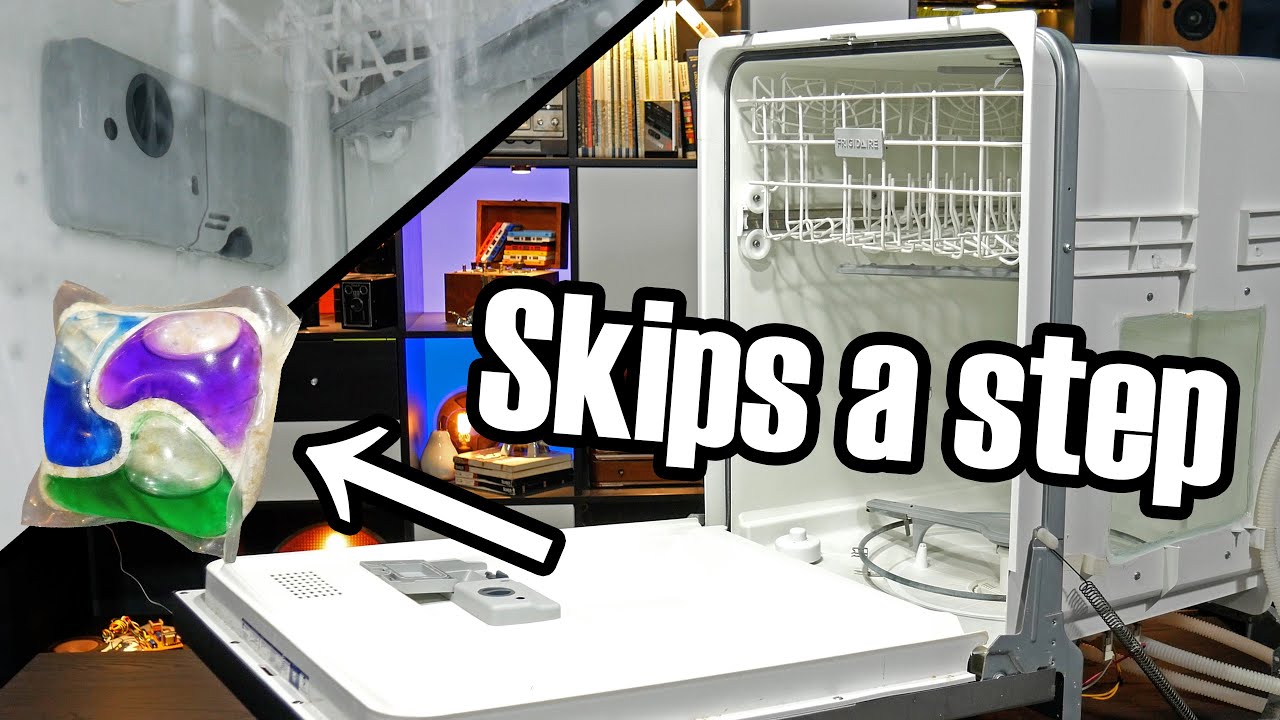
Detergent packs are kinda wishy-washy (Dishwashers Explained)Detergent packs are kinda wishy-washy (Dishwashers Explained)

Detergent packs are kinda wishy-washy (Dishwashers Explained)

I’m writing this post to clear off some of the dust from this site. I’m linking to a YouTube video that goes deeply into using dishwashers and how so many of us have forgotten how to actually use dishwashers well. In fact, we really should stop hand washing too often to conserve water and reduce our bills since dishwashers are so efficient AND effective with less use of everything.

Four steps to effective dishwashing:

  1. Turn on the facet water and let it get as hot as it can. The dishwasher needs this hot water from beginning to end.
  2. Fill the pre-wash cup with detergent. Using a tablet? Drop a tablet into the dishwasher’s bottom. I’m using plain Finish tablets for this
  3. Fill the main wash cup with detergent. This is usually the one with a door that you lock into place until mid way through the cycle. This is where the fancier tablets can be used, but Finish is also just fine
  4. Check your rinse aid level. Do you see any in there? Fill it up, it adds a pop to the cleaning!

And seriously, if you do all four of these steps, you should be seeing a better dishwashing result every time! The biggest benefit you can take away is the pre rinse with both hot water and soap. If you get this right, the rest of the cycles do their job great.

Now, let’s see if this syndicated a nice little Twitter link into a Tweet. I haven’t tested this feature in a while!